
Open a web browser and go here: https://security.microsoft.com/quarantine You should see a list of emails for your email account being held back for review.
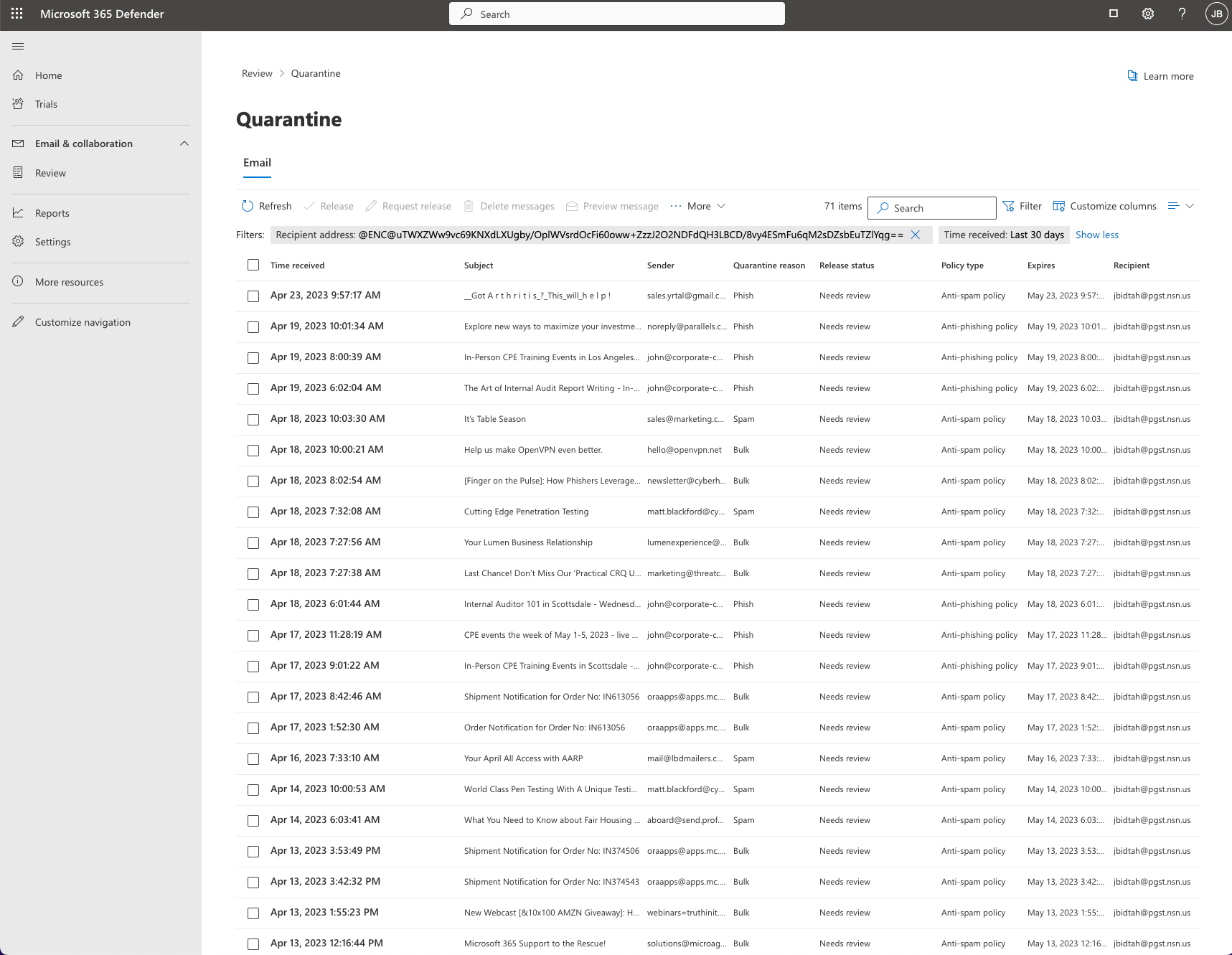
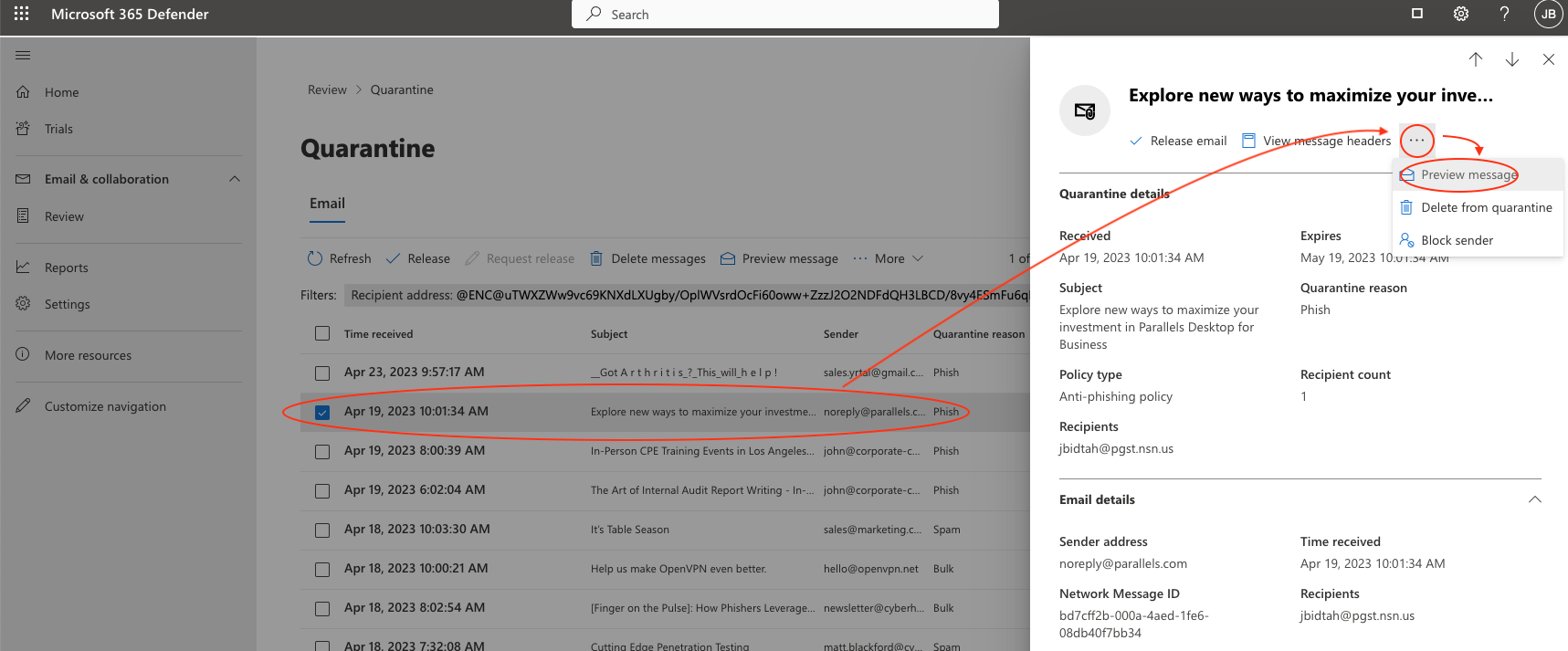
If you see an email that looks legitimate. Click on it and you can preview the contents.
THINGS TO LOOK FOR:
- Do I recognize the sending email address
- If there is an attachment, am I expecting the attachment
- Are they creating a sense of urgency or concern to act
- Mispelled words, odd language
- Be cautious of Docusign links, Over email quota messages, Invoice attachments
Only release the email after you have verified the THINGS TO LOOK FOR from above. Failing anyone of the criteria, should create concern. Contact the IT Department to receive additional help.
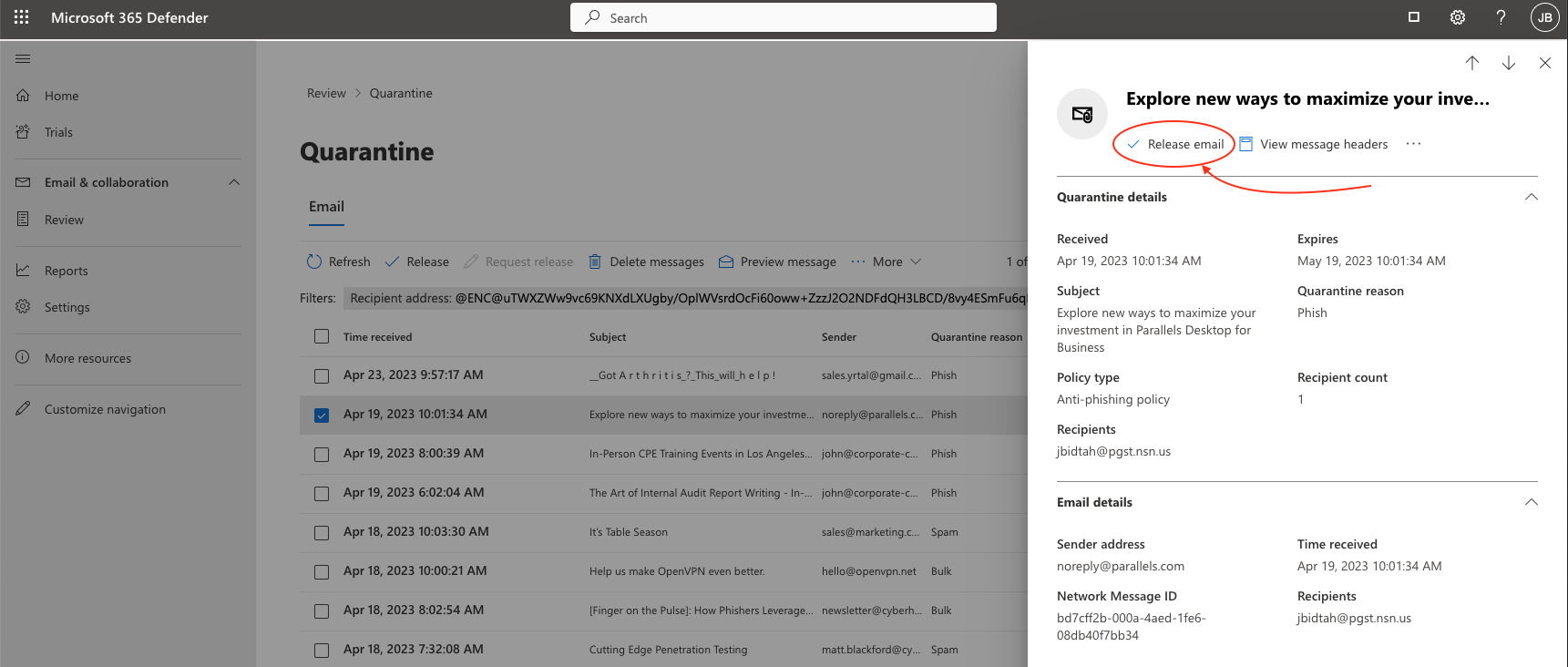
The email should arrive in your inbox 5-30mins.