
Using Google Chrome or Microsoft Edge (please do not use Firefox or Safari), navigate to the Copilot website using this link:
https://copilot.microsoft.com/
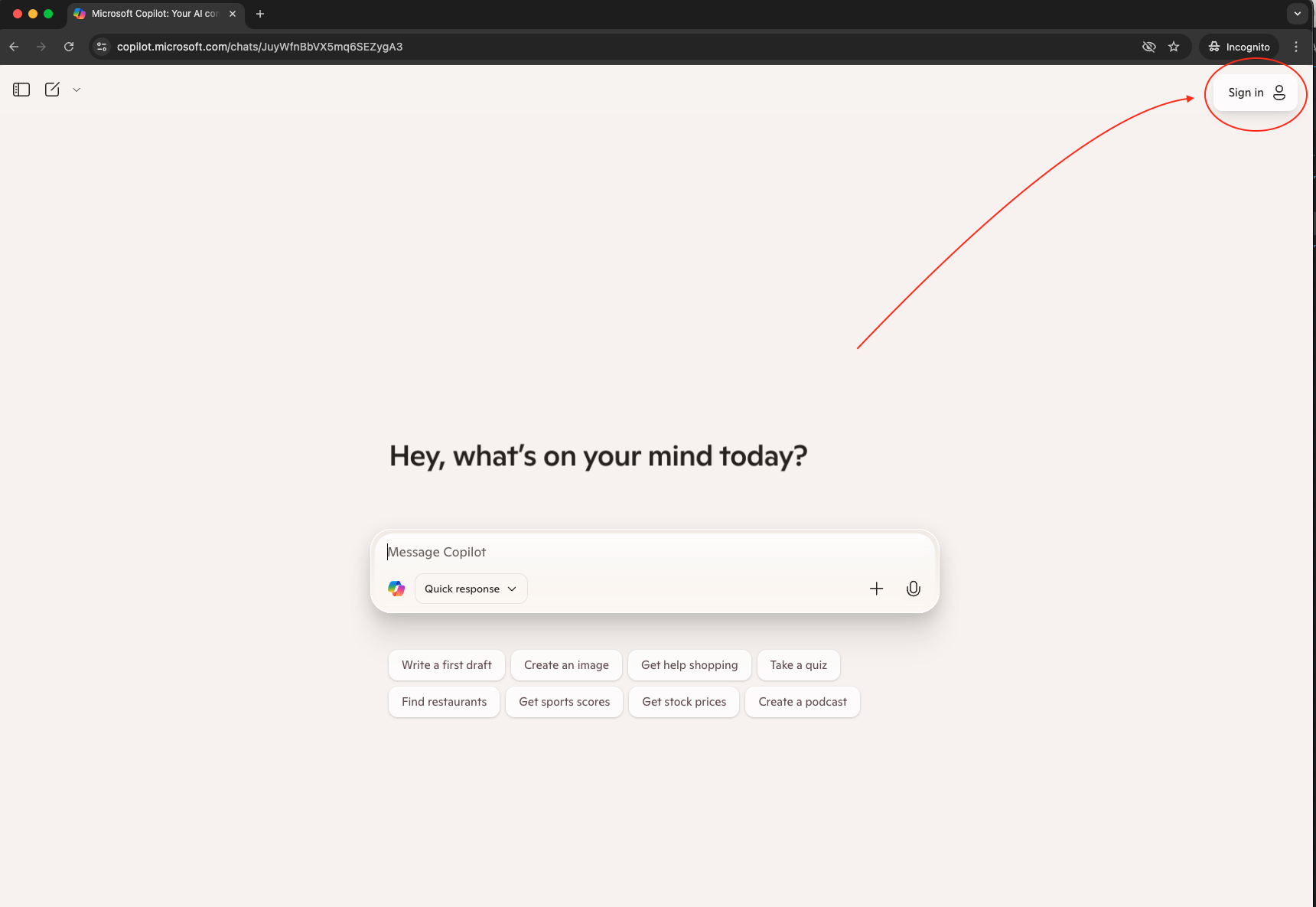
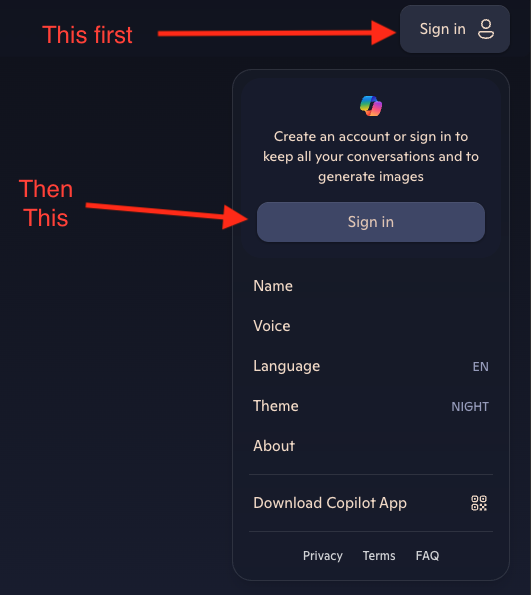
Once there, click on the 'Sign in' icon in the top right corner of the page then click 'Sign in' in the pop up that displays:
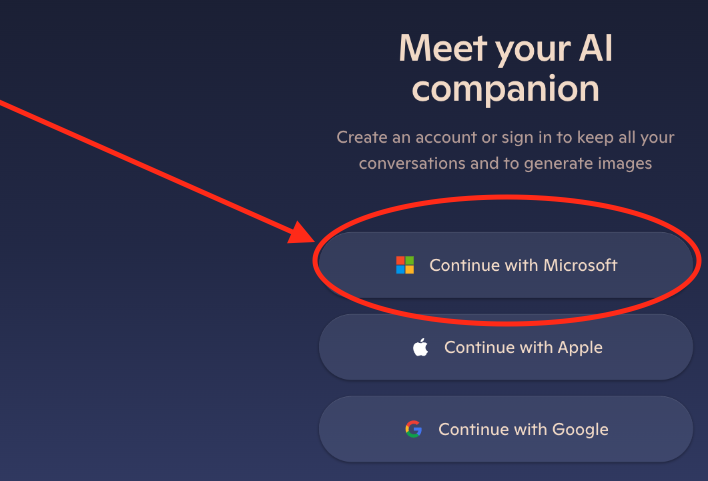
Next, you will want to select 'Continue with Microsoft':
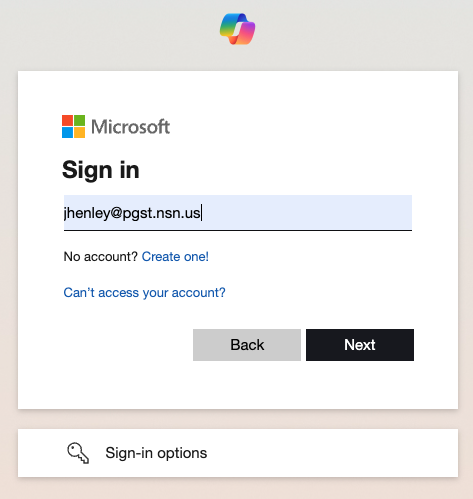
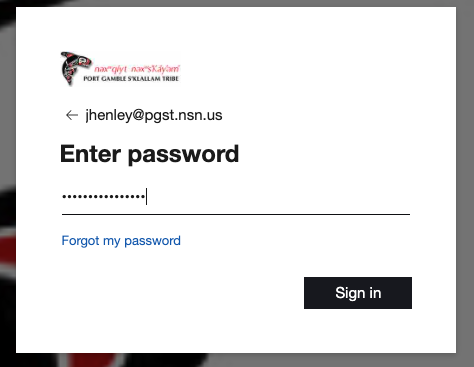
Sign in using your PGST email and password:
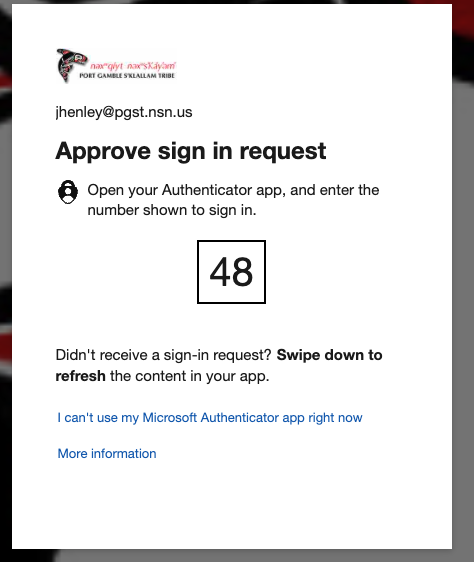
You will then be asked to authenticate using Microsoft Authenticator MFA:
Once authenticated, click on your account under Work:
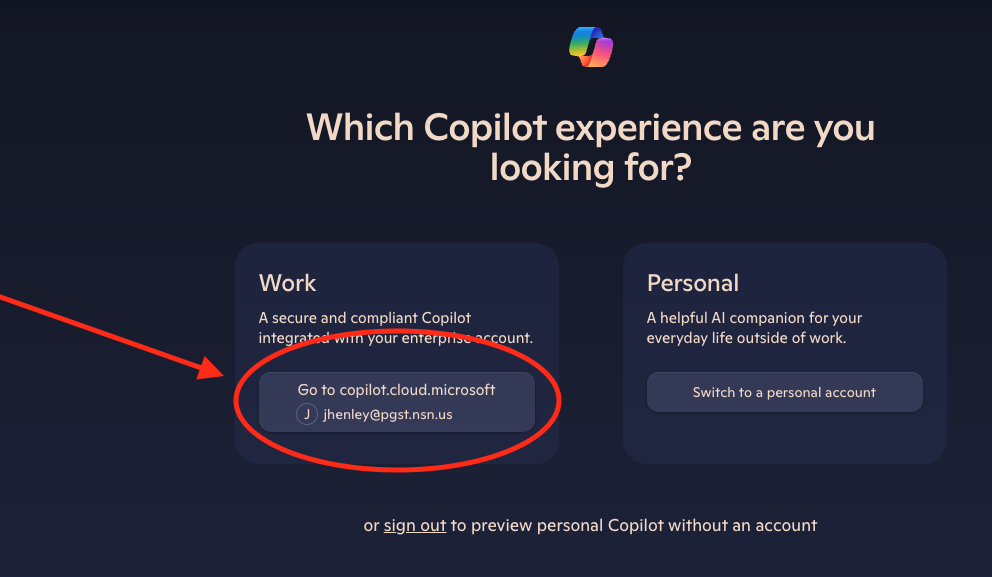
That is it, you are now signed in to the PGST Copilot AI web browser.